
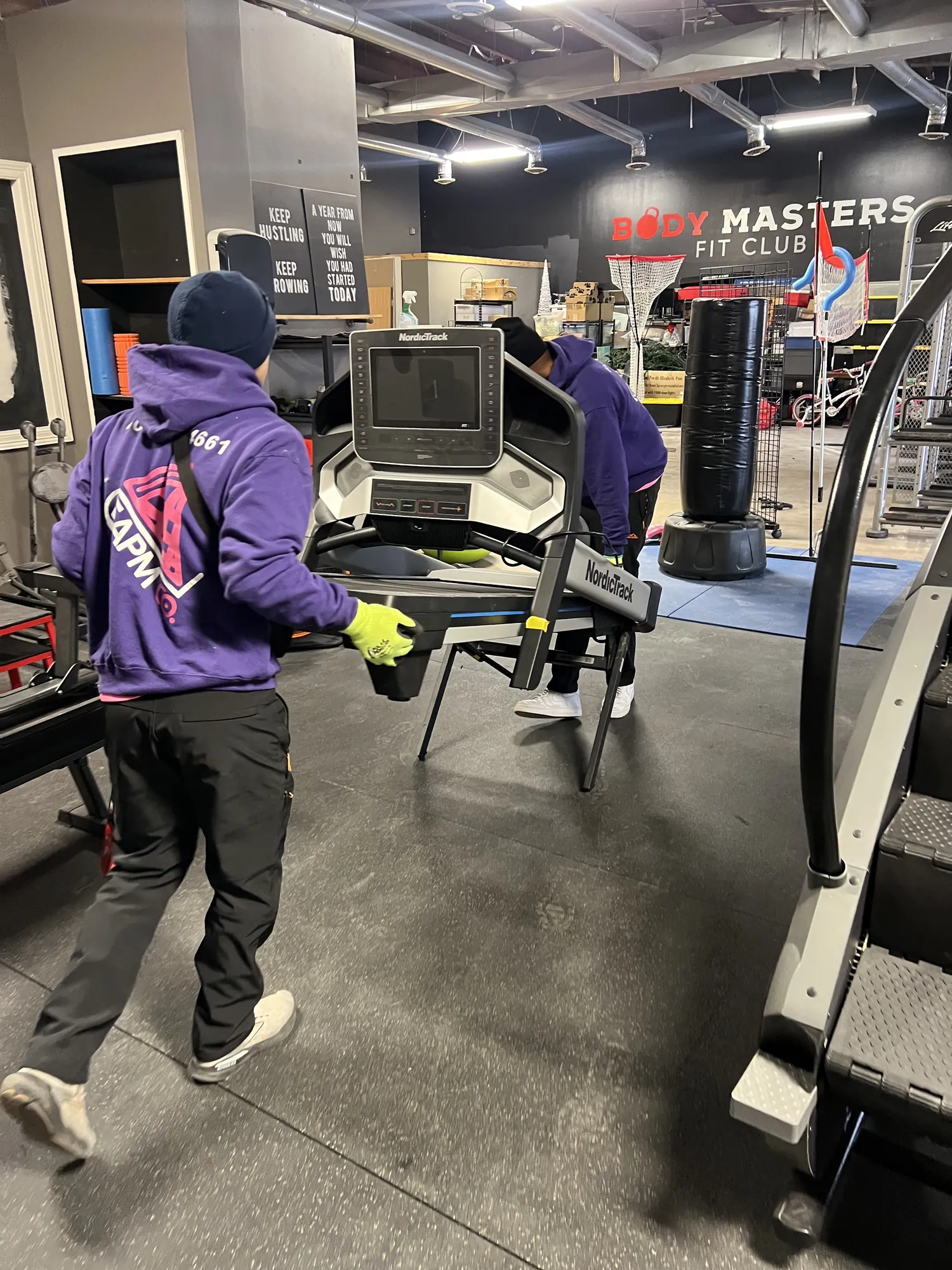
Office moving in Omaha comes down to one goal: get everyone back to work fast. The truck part is usually the easy part. Phones, internet, floor plans and telling customers where you went are what trip businesses up.
This is the planning side of an office relocation, in seven steps. When you’re ready for the moving-day side, see how our commercial movers handle it.
Step 1: Set Your Timeline (Earlier Than You Think)
Work backward from two dates: when you have to be out of the old space and when the new space is ready. Build-outs, furniture orders and internet installs can all run late, so leave yourself some room.
A rough plan for a small or mid-size office:
| When | What to do |
|---|---|
| 3 to 6 months out | Confirm lease dates, plan the new layout, order any new furniture, call internet and phone providers |
| 2 months out | Name your move manager, get moving estimates, start purging old files and furniture |
| 1 month out | Book your movers, get the building rules for both spaces, tell clients and vendors your new address |
| 2 weeks out | Finalize the floor plan, label furniture, hand out packing supplies |
| Moving week | Staff pack their desks, IT backs up data and disconnects equipment |
| Moving day | Walk both spaces with the crew lead and place everything by the floor plan |
| First week | Test everything, update every listing and clear out leftovers |
Step 2: Pick a Move Manager
Every office move needs one person in charge. Not a committee. One person who:
- Talks to the movers, both landlords, the IT vendor and the building managers
- Owns the timeline and the budget
- Makes the call when something comes up on moving day
For bigger offices, add one helper from each department to handle packing and questions on their team. The move manager doesn’t need to do everything. They need to know where everything stands.
Step 3: Plan IT, Internet and Phones First
If the movers show up on time but the internet doesn’t work Monday morning, you’re still closed. Start here.
- Order internet and phone service at the new space early. Business installs can take weeks, especially if the building needs new wiring.
- Walk the new space with your IT person. Decide where the network equipment, printers, Wi-Fi access points and workstations go, and check that there are outlets and data jacks where you need them.
- Back up everything before moving day.
- Have IT disconnect, label and reconnect computers, servers, phones and network gear. Take photos of cable setups before anything gets unplugged.
- Call your copier or printer leasing company and ask how they want leased machines moved.
- Plan for your phone numbers. Confirm they transfer to the new location, and test them the first morning.
Step 4: Map the New Space and Label Everything
A floor plan is the single best tool for a fast office move.
- Number every office, room and workstation on the new floor plan.
- Label every box, chair and piece of furniture with the matching number. Color-coding by department helps too.
- Have each employee pack their own desk and label it with their name and destination number.
- Tape a copy of the floor plan at the entrance of the new space on moving day, and put a number sign on every door.
- Decide what isn’t moving. Old furniture, broken chairs and file boxes you’re keeping “just in case” all take time to move.
Want to keep working right up to moving day? Rental plastic moving bins work well for offices, and we can set you up through our partner, Monster Totes. We also offer packing services with no minimum, from one supply room to the whole office.
Step 5: Tell Everyone, Including Google
Clients can’t find you if the internet still shows your old address. Make a list and work through it:
- Clients, patients and vendors. Email them a few weeks ahead and again the week of the move.
- Your website, email signatures, invoices and business cards.
- Google Business Profile. Update your address the day you move. Google says that if you move a verified business to a new address, you must verify your business again, so plan for that step.
- Other listings. Apple Maps, Bing, Yelp, Facebook, industry directories and your chamber of commerce. Keep your business name, address and phone number exactly the same everywhere.
- USPS. File a business change of address. Standard USPS mail forwarding lasts 12 months.
- IRS. The IRS uses Form 8822-B for changes to a business mailing address or business location.
- Banks, insurance, licenses and anything else with your address on it.
Step 6: Schedule the Move Around Your Business Hours
The best office moves happen when nobody’s trying to work. Evening and weekend moves let your doors stay open while the crew works.
- Get the building rules for both spaces. Freight elevator reservations, loading dock times, after-hours access and any certificate of insurance requirements. We can send a certificate of insurance to your building manager on request.
- Do a walkthrough with your mover. We’ll walk through your space with you, flag the heavy or delicate pieces and set a crew size and time window that keeps downtime low.
- List specialty equipment up front. Safes, medical equipment and anything unusual belong on the estimate request. We’ve moved an x-ray machine, so we’re probably not going to be surprised, but tell us anyway.
- Choose a mover that shows up. When you’ve told your team and your clients you’re closed for the move, a cancellation isn’t an option. Easy As Pie Moving Co. doesn’t drop moves to fit in a bigger job.
Step 7: Set Up and Get Back to Work
At the new space, it’s “you point, we place.” Desks, files and equipment go exactly where the floor plan says, and we finish with a final walkthrough so nothing gets left behind. Our crews can also take apart and reassemble cubicles and modular workstations.
Then work through a first-day checklist:
- Internet, Wi-Fi, phones and printers tested
- Every workstation powered on and connected
- Signs up on the door and in the lobby
- Keys, access cards and alarm codes handed out
- Supplies, coffee and the first-aid kit unpacked
Leftover furniture you didn’t want to bring? Our junk removal crews can haul it away. Need to hold furniture until a build-out is finished? Ask about storage between moves.
Office Moving FAQs
How long does an office move take?
It depends on the size of the office, how much is packed ahead of time and the access at both buildings. A walkthrough is the best way to get a real answer, and it helps us set the right crew size.
Can you move our office after hours or on a weekend?
Yes. Evening and weekend moves are available so you can keep serving customers. Tell us your window when you request your estimate.
How much does office moving cost in Omaha?
We bill by the hour based on crew size and truck. Fill out the estimate form and we’ll send you a price range. Every rate is in your moving agreement before moving day, with no stair fees or surprise add-ons.
Do employees need to pack their own desks?
It’s usually fastest when each person packs their own desk and personal items. If you’d rather hand it off, our packing service has no minimum.
What kinds of businesses do you move?
Offices, law firms, clinics and studios across the Omaha metro. If it fits through the door, we can move it.
Planning an Office Move in Omaha?
See how our commercial moving service works, then tell us what’s moving, where it’s going and when you need to be back up and running. We’ll send you a price range and build the crew around your hours.
Request your free estimate or call (402) 200-4661.
